Play along
You bring the timing. Taptet brings the notes.
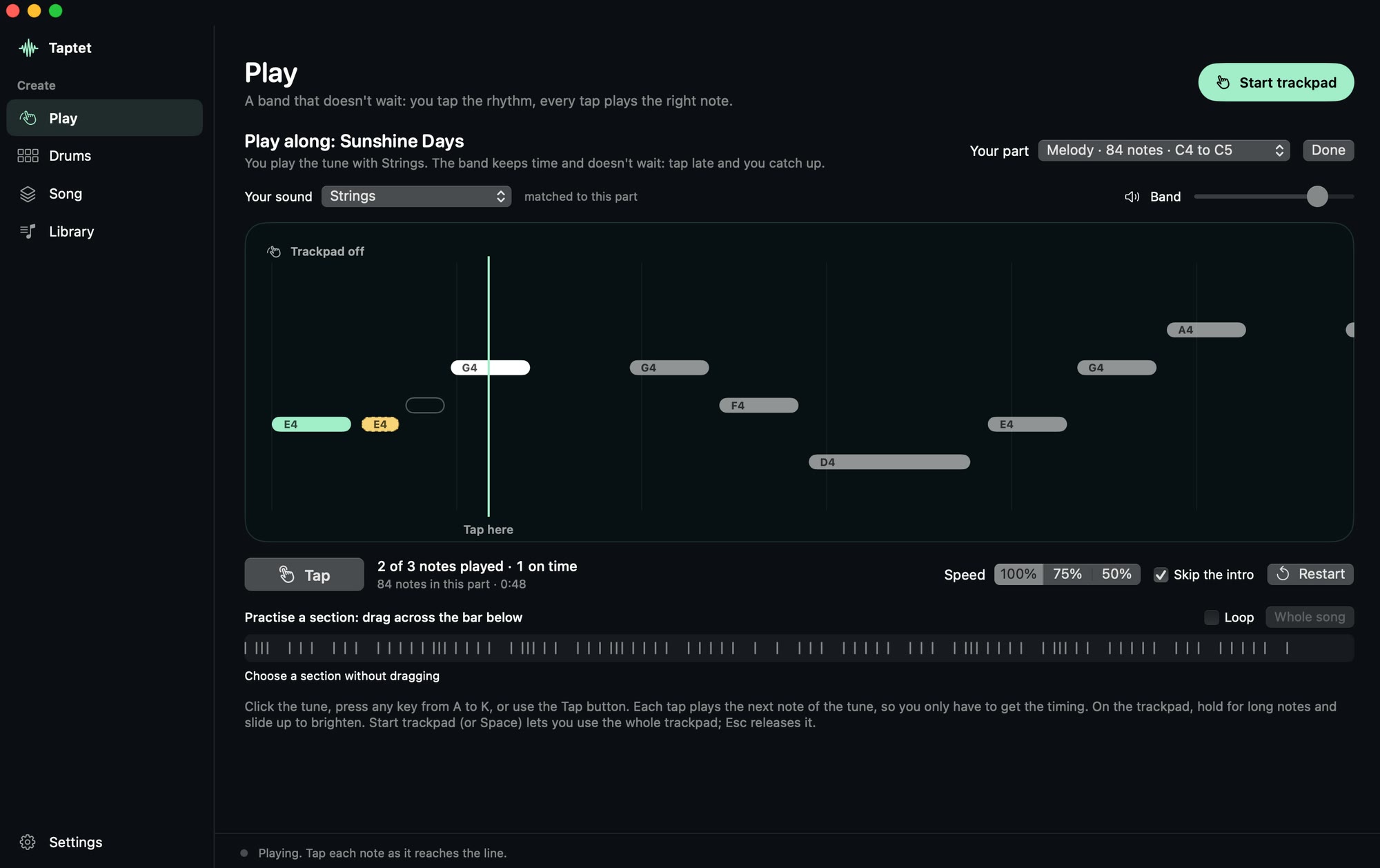
Pick one of 17 built-in tunes, or open any MIDI or karaoke file. Tap its rhythm on the trackpad or the keys A to K, and every tap plays the next right note while the band plays the rest.
Turn your Mac’s trackpad into an instrument. Pick a song, tap along, and every tap plays the right note while a band plays with you. No lessons, no sheet music.
Für Elise · Beethoven · 128 notes
Tap the trackpad or the lit keys in time with the notes. Sound on.
Tap each note as it reaches the line. If you’re late, the band keeps going and you simply join back in.
For Mac · coming to the Mac App Store
Play along
Pick one of 17 built-in tunes, or open any MIDI or karaoke file. Tap its rhythm on the trackpad or the keys A to K, and every tap plays the next right note while the band plays the rest.
The trackpad, as an instrument
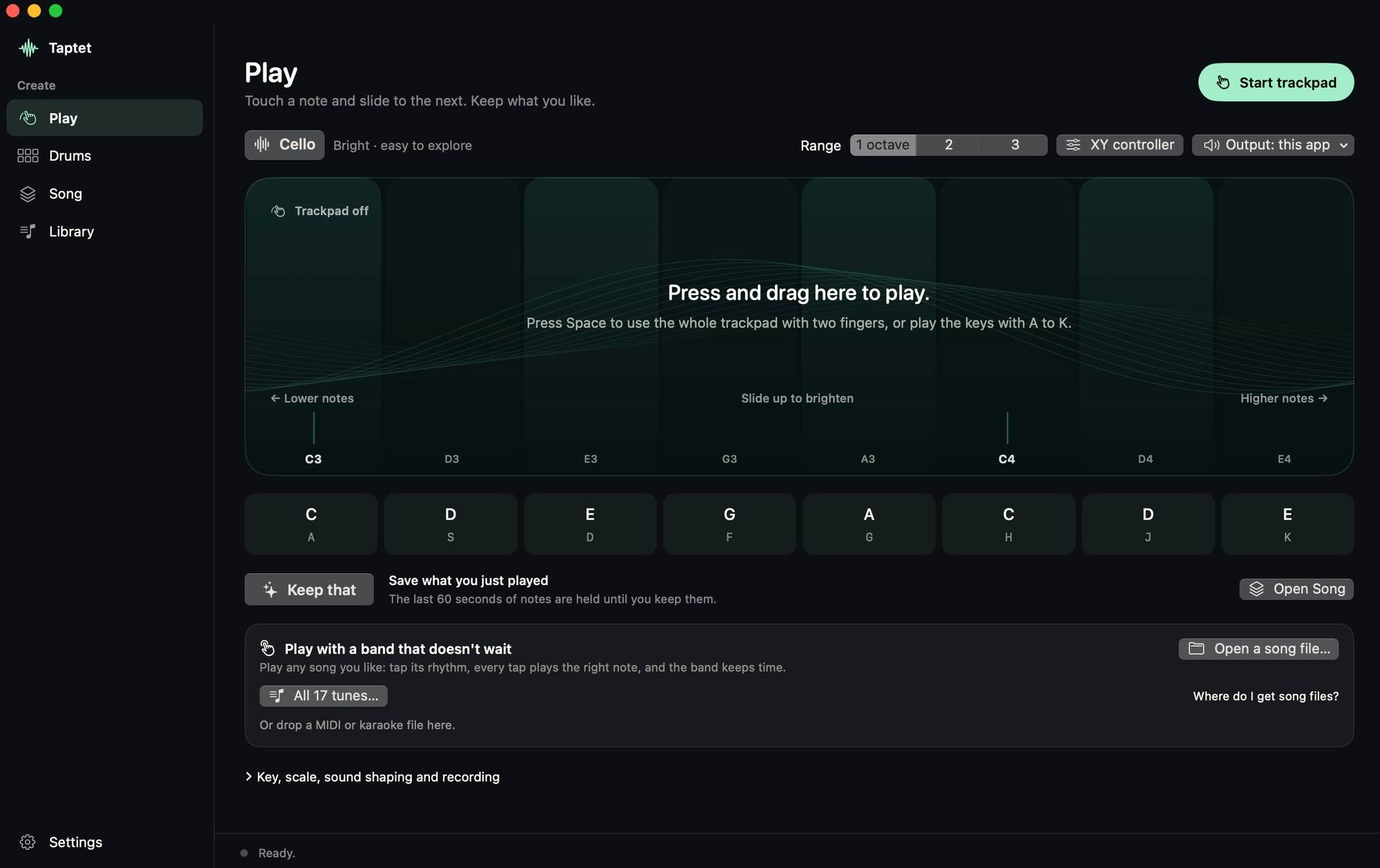
Every note on the pad is in key. Touch, slide, lift. The last minute of playing is always held, so you never have to press Record first.
Drums and a looper
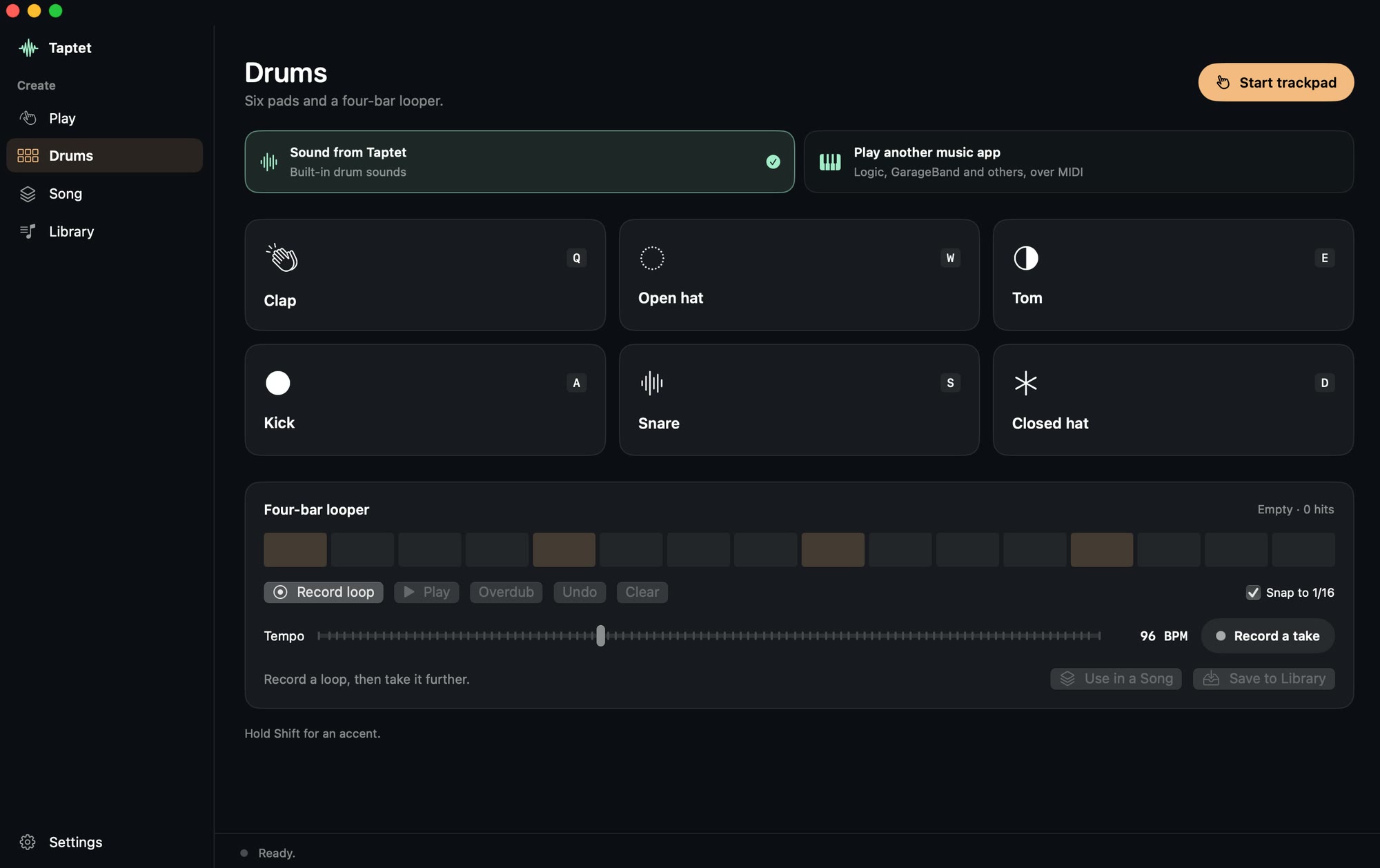
Tap out a beat, overdub it, and take it straight into a song.
A song, part by part
Build a song in up to twelve sections with 128 sampled instruments. Then send it to GarageBand or Logic Pro with each part on its own track, or export audio, MIDI and video.
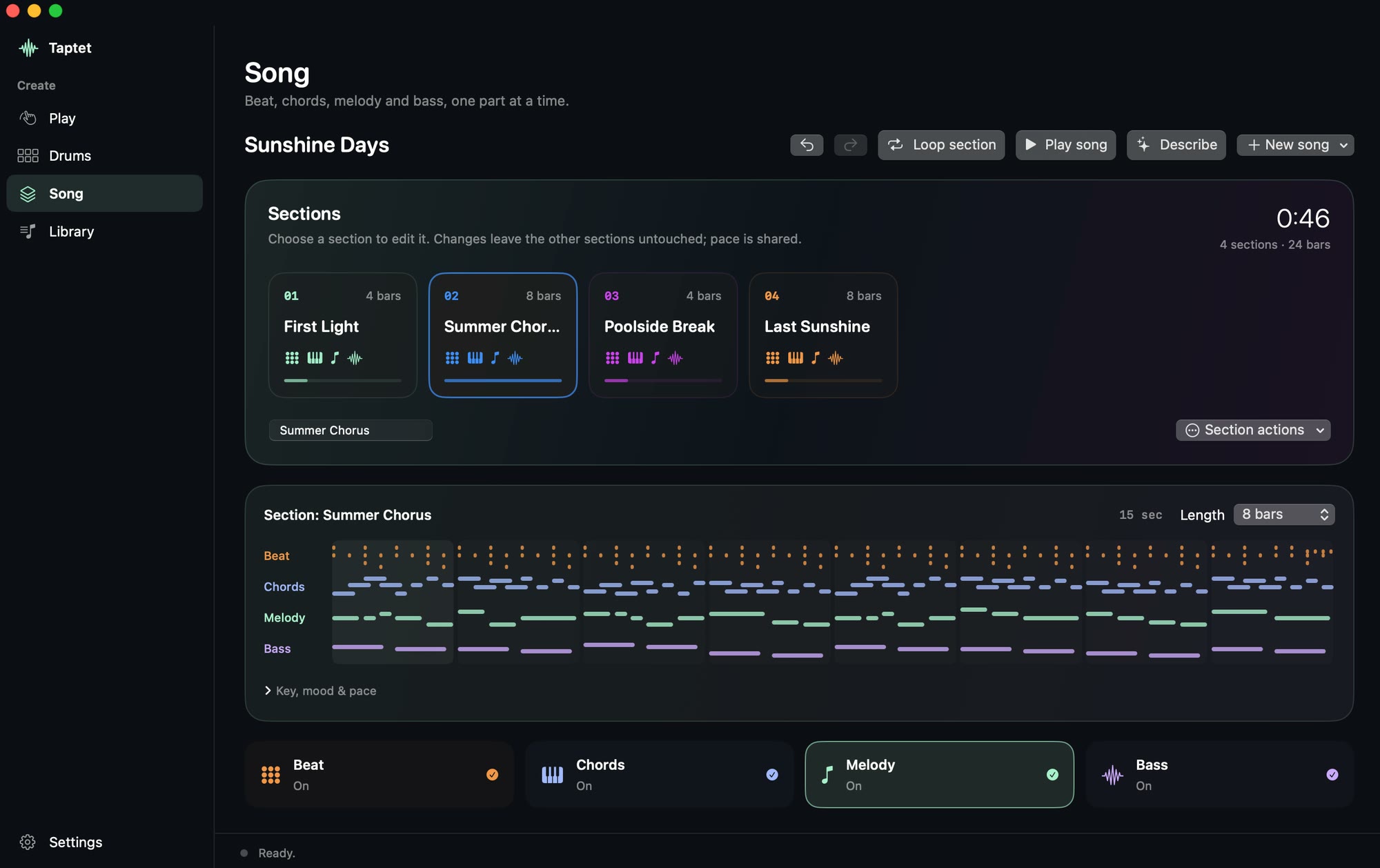
Describe a song
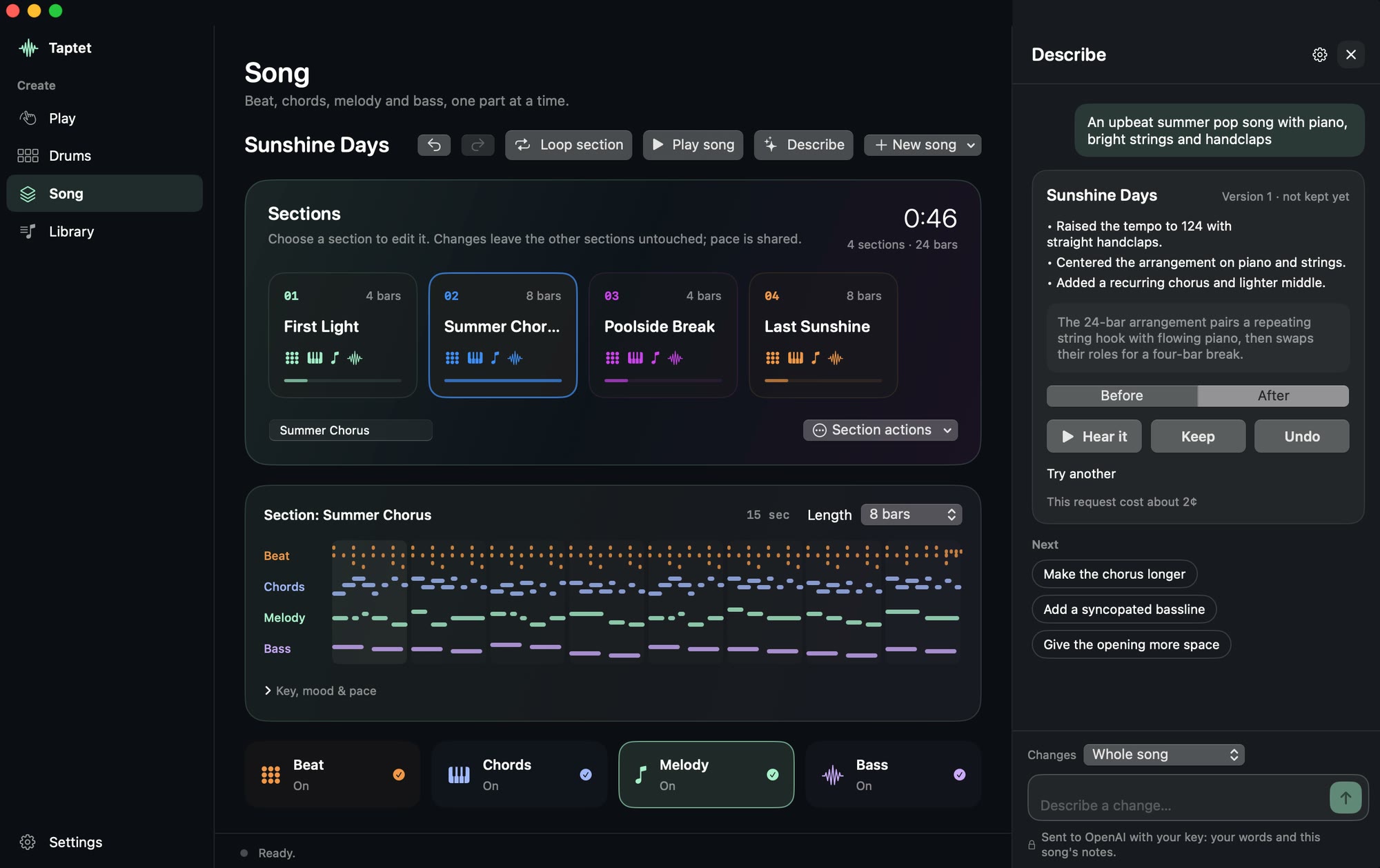
Type what you want and a song appears: a beat, chords, a melody and a bass, with the instruments chosen. Every note lands in the editor, so you can change anything by hand or by asking.
A real result, written by OpenAI for about 2¢ while this page was being made.
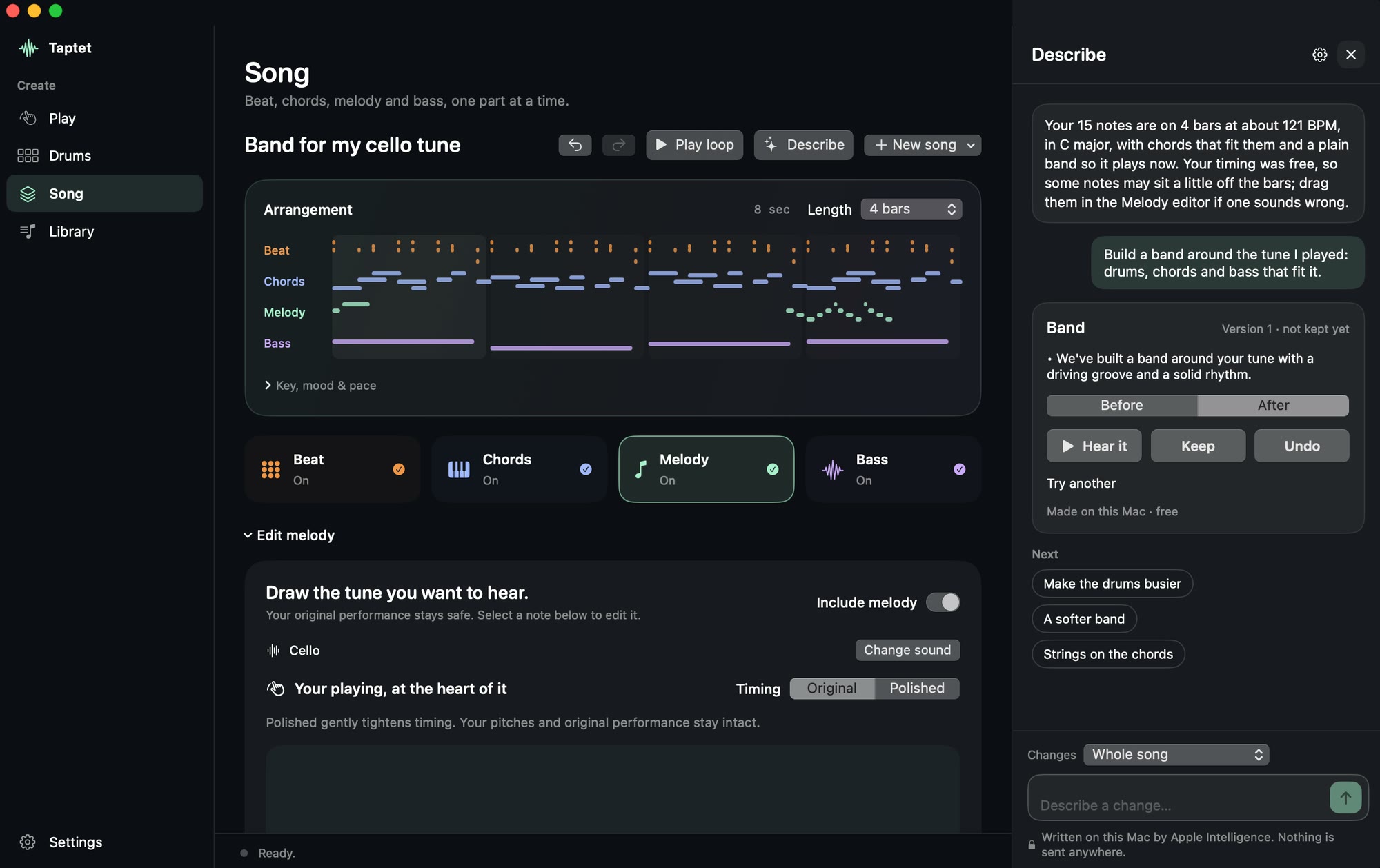
Play a tune. Get a band.
Play a few bars on the trackpad, then ask for a band around it. Your notes stay exactly as you played them.
“Make the drums busier.” Choose whether a request may touch the whole song, one section or one part. Everything else is left exactly as it was.
Apple Intelligence runs on your Mac, free, and nothing leaves it. Or use Claude, OpenAI or Mistral with your own key. Taptet asks before anything is sent.
Free
$0
Full version
$29.99 $39.99
Launch price, one purchase, in US dollars.
Yours
On your Mac
Seventeen are built in, from “Twinkle, Twinkle” to “Für Elise”. Or open any MIDI or karaoke file you have.
On the trackpad or the keys A to K. Hold for long notes, slide up to brighten. Slow a hard passage to 75% or 50%, or loop it.
Your performance is saved as you played it, with the band, ready to share or to build into a song.
No. In play-along you only supply the timing: each tap plays the next right note. On the Play screen every note is in key. If you do play, you can pick any part of a song and play it properly.
Macs with macOS 14 or later. It is made for the built-in trackpad and a Magic Trackpad, and everything also works from the keyboard. Describe with Apple Intelligence needs a Mac that supports Apple Intelligence.
Seventeen public-domain tunes are built in. Beyond that, open MIDI or karaoke files you have the right to use; Taptet doesn’t download songs. Songs made with Describe are original, and it declines to copy existing ones.
No, not on a Mac with Apple Intelligence: Describe writes songs on your Mac for free, and nothing leaves it. For richer songs, or on a Mac without Apple Intelligence, you can bring your own key from Claude (Anthropic), OpenAI or Mistral. Get one from the service’s website and paste it into Describe’s settings; Taptet tells you how in about two minutes.
The service bills you directly, usually a few cents a song, and Taptet takes nothing. Describe shows an estimate for each request and a total for the month, so you always know roughly what you’ve spent. Your bill from the service is the real figure.
Your key is kept in your Mac’s Keychain and is sent only to the service it belongs to, straight from your Mac. It never passes through us. Before the first request goes to a service, Taptet asks your permission and shows exactly what will be sent: your words and the song you’re working on, never your other songs, recordings or anything about you.
No. Playing, the drums, songs and your Library all work offline. The only feature that can use the internet is Describe, and only if you choose an AI service and add your own key.
It is the same idea with a simple built-in synth. The app uses your trackpad, 128 sampled instruments and any song you open, and it records what you play.
Taptet is on its way to the Mac App Store. This page will carry the link the day it opens.